


Updated: November 2025
Your mobile phone is one of the most personal items you own. Losing it means not just stress but also the risk of losing your data. After all, your phone holds your contacts, photos, messages, documents and access to mobile banking.
What can you do to stop a lost phone turning into a much bigger problem? How do you track down a lost phone? We have put together 10 steps that will help you find or secure your lost phone.
1. I’ve lost my phone – what should I do first?
Call your number from another phone and check whether your phone is still switched on. If it is, send a message to any honest finder asking them to get in touch. You can also add your contact details in your phone’s settings right now – then the email address you provide will be shown on the lock screen. According to insurance industry data, more than 100,000 phones are lost or stolen in Poland every year.
2. Where was your phone last?
Try to remember where you last used your phone. Check at home, in the car, in the restaurant or the shop. If you used public transport, call the transport operator’s lost property office – items found on buses and trams often end up there. Sometimes this is the quickest way to track down a lost phone.
3. How to track down a lost phone?
If your smartphone has GPS location and internet access switched on, you can try to find it.
➡️ Android users can use Google’s Find My Device feature.
➡️ iPhone users should go to iCloud.com/find.
There you can check its current location, play a sound or lock the phone remotely.
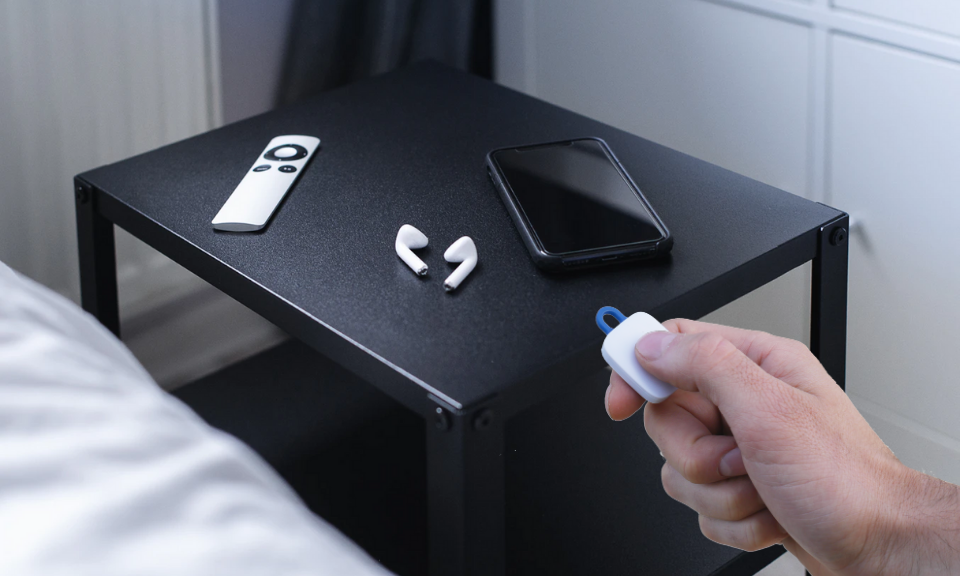
If you have a notiOne tracker, you can also use its phone-finding feature – just press the button on the device and your phone will ring even when it is on silent (as long as Bluetooth is switched on).

4. How to track a switched-off phone – is it possible?
Try to find your phone using one of the many apps designed for this purpose. Bear in mind, though, that they need GPS and mobile data switched on to do their job.
5. Can the police track a lost phone?
Yes – if your phone went missing as a result of theft, it is worth reporting it to the police.
Have your IMEI number ready – you will find it on the box or the proof of purchase.
The police can ask the network operator to trace the device by its IMEI number when there is reasonable suspicion of a crime.
6. Block your SIM card and secure your data
Contact your network operator to block your SIM card. This will stop any unauthorised charges being run up.
Ask for a replacement SIM so you can keep your existing number.
Then change your passwords for all your apps, especially:
-
email,
-
social media,
-
mobile banking.
If you use contactless payments, inform your bank and block the service.
7. Check local groups and classified ads
Post about your lost phone in local Facebook groups or neighbourhood forums.
Many people get their devices back this way.
You can also browse second-hand shops and classified ad sites such as OLX – some phones turn up there just a few hours after going missing.
8. How to protect your phone from getting lost?
The best approach is prevention:
-
Switch on location services and “Find My Device”.
-
Use a phone tracker such as notiOne, which lets you find a lost phone even without an internet connection.
-
Write down your IMEI number and keep it somewhere safe.
-
Set a strong password or fingerprint lock.
9. Check second-hand shops
Visit second-hand shops and pawnshops in your area, and keep an eye on local selling sites. That is where found or stolen devices most often end up.
10. A ray of hope
And finally, a little consolation: most phones turn up within moments – in the depths of a handbag, in a pocket, under a car seat. This is where a notiOne tracker (pictured above) can help. If you have one, just press it and your lost phone will ring even when it is on silent (with Bluetooth switched on in the phone). That will save you a lot of time and stress!
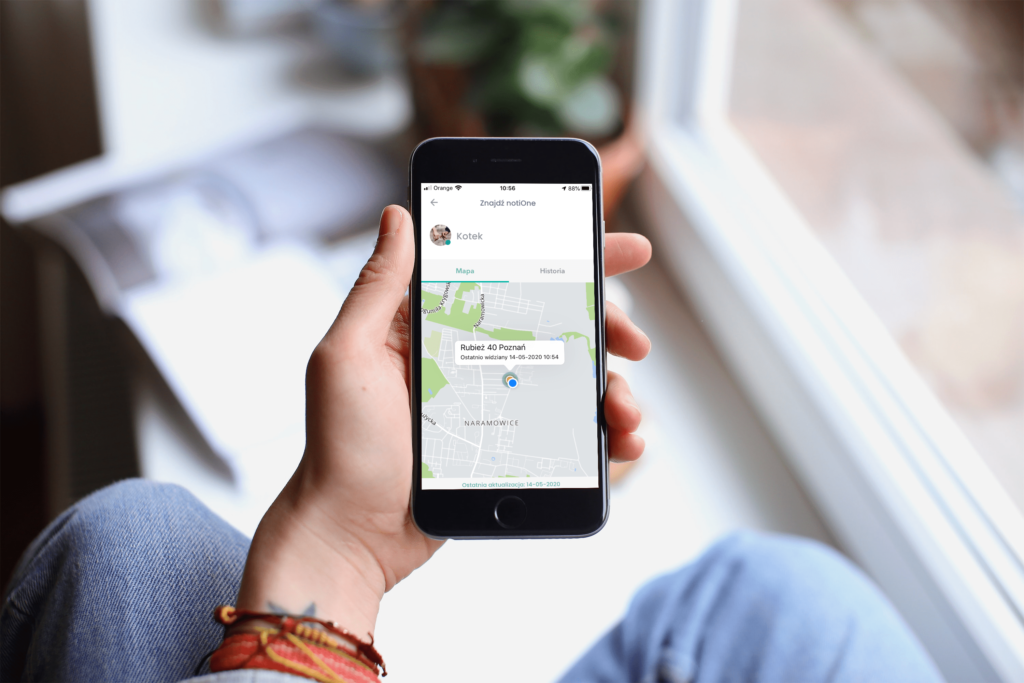
You can also act in advance and share your phone’s location with someone you trust in the free app. Then, if you ever lose your phone, ask them to check where it is. Install it now – it costs nothing!




No Comments